
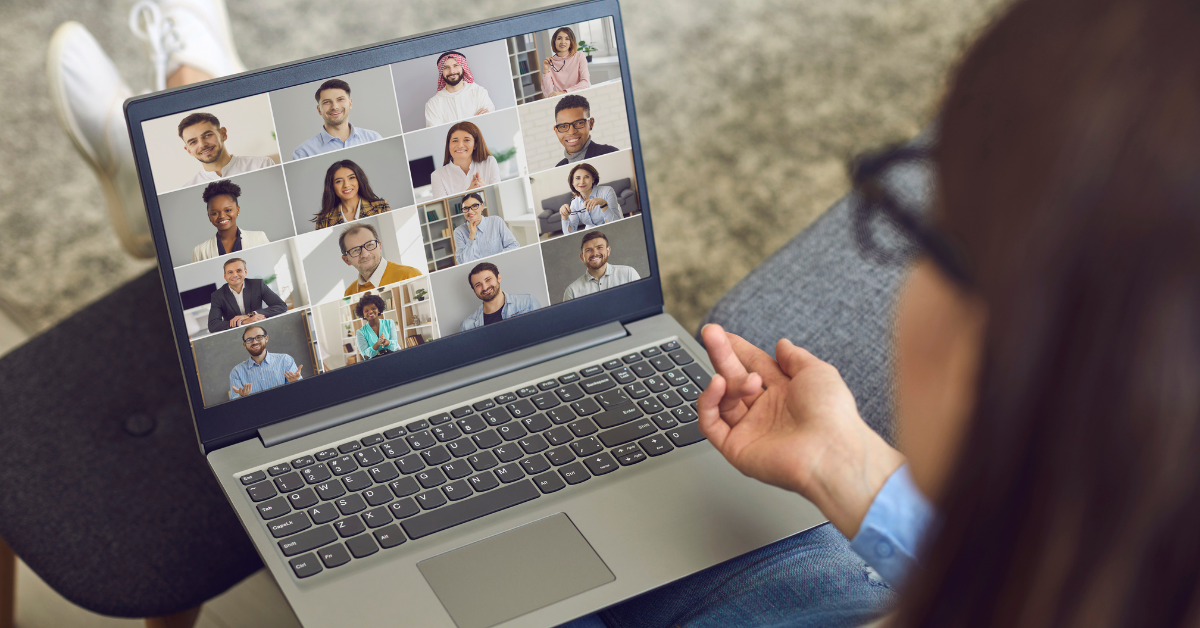
Mastering video conferencing tips is no longer optional—it’s essential. Whether you're attending client calls, internal meetings, or interviews, how you present yourself virtually can significantly impact your professional image. From poor lighting to background distractions, small mistakes can undermine even the most important conversations.
Understanding the right video conferencing tips helps you communicate clearly, appear confident, and maintain professionalism across every interaction. Alongside strong virtual meeting etiquette, applying simple yet effective strategies can transform your online presence and make your meetings more productive.
Let’s explore how you can elevate your virtual meetings with practical, easy-to-follow techniques.
Virtual meetings are now the backbone of communication for distributed teams. However, they come with their own set of challenges.
Common issues include:
Without proper video conference tips, meetings can quickly become inefficient and unproductive. Maintaining strong virtual meeting etiquette ensures smoother collaboration, better understanding, and stronger professional relationships.
One of the most important video conferencing tips is to check your setup in advance.
Before joining:
This simple step prevents last-minute disruptions and reflects professionalism.
Your background speaks before you do.
Effective tips for video conferencing include:
A clean setting supports better focus and aligns with proper virtual meeting etiquette.
Lighting can dramatically affect how you appear on camera.
Follow these video conferencing tips:
Good lighting enhances visibility and makes communication more engaging.
Even in remote settings, appearance matters.
Strong video conference tips suggest:
Professional attire reinforces credibility and aligns with workplace expectations.
Looking directly at the camera simulates eye contact.
One of the simplest video conferencing tips:
This builds connection and improves communication clarity.
Background noise is one of the biggest disruptions in virtual meetings.
Key tips for video conferencing include:
This is a core aspect of good virtual meeting etiquette.
Clear audio is just as important as video quality.
Reliable video conference tips recommend:
This improves both listening and speaking clarity.
Joining late can disrupt the flow of the meeting.
Professional video conferencing tips include:
Punctuality reflects respect for others’ time.
It’s easy to get distracted during virtual meetings.
However, strong video conferencing tips emphasize:
Active participation improves meeting outcomes and demonstrates professionalism.
Virtual communication requires clarity.
Effective video conference tips include:
Good communication reduces misunderstandings and keeps meetings productive.
Screen sharing can enhance presentations—but only when used properly.
Smart tips for video conferencing:
This keeps meetings focused and professional.
Non-verbal cues still matter in virtual settings.
Important video conferencing tips:
Positive body language supports better engagement.
Meetings without structure often lose direction.
Essential video conference tips:
This improves efficiency and keeps discussions on track.
External distractions can reduce meeting quality.
Helpful tips for video conferencing:
A distraction-free setup supports better focus and communication.
Professionalism doesn’t end when the call ends.
Final video conferencing tips:
This ensures accountability and reinforces effective collaboration.
Even with the best intentions, certain mistakes can impact your professionalism.
Avoid:
Recognizing these pitfalls helps you apply video conferencing tips more effectively.
Good virtual meeting etiquette goes beyond technical setup. It defines how you interact, communicate, and collaborate in a virtual environment.
Key elements include:
Combining etiquette with strong video conference tips creates a polished and impactful virtual presence.
Applying the right video conferencing tips doesn’t just improve appearance—it enhances overall productivity.
Benefits include:
In today’s digital workplace, these improvements directly impact performance and business outcomes.
Mastering video conferencing tips is essential for anyone working in a remote or hybrid environment. Small adjustments—like improving lighting, maintaining eye contact, and following proper virtual meeting etiquette—can make a significant difference in how you are perceived.
Professional virtual meetings are not just about technology—they are about communication, presence, and preparation. By applying these simple yet powerful tips for video conferencing, you can elevate your online interactions and create a lasting professional impression.
At W3Global, we understand that success in workplace goes beyond skills—it’s also about how you present and communicate yourself.
Whether you're preparing for virtual interviews, client meetings, or remote collaboration, our expert insights and career solutions help you stay ahead.
Connect with W3Global today to build a stronger, more confident professional future.